Name Tracing Worksheet Generator
Type any child's name to create customized preschool and kindergarten name tracing practice sheets. Includes starting guide dots, large 1-inch or 3/4-inch lines, and trace-to-write progression.
- Target Learners
- Preschool, Pre-K & Kindergarten (Ages 3–6)
- Inputs
- First name, optional last name, stroke guide options
- Output Format
- Print-ready 1200+ DPI Vector PDF & Print (Letter / A4)
- Guidelines
- Oversized 1.0″ Pre-K & 0.75″ Kindergarten 3-Line
- Cost & Account
- Free • No Login
- Student Privacy
- 100% In-Browser Execution • Names Never Stored
🏷️Customize Student Name
Supports letters with accents (José, Chloë, Zoë).
For 3- and 4-year-olds, choose Preschool (1" lines) with Trace + Copy. Early success builds pencil grip confidence before transitioning to independent writing.
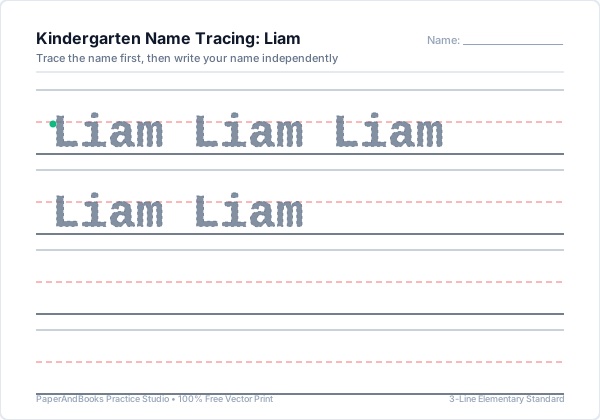
Practice Writing: Liam
Start at the green dot and follow the dashed lines
Popular Printable Name Tracing Worksheets
Looking for a specific student name? Browse our dedicated worksheets for top boys and girls names, complete with initial letter stroke guides and syllable breakdowns:
When and How to Teach a Child to Write Their Name
Writing their own name is often the very first meaningful literacy milestone for young children. Recognizing the letters of their name and guiding a pencil to replicate them bridges motor control and letter-sound association.
Letters in the English alphabet (like L, T, H, E) are written with strokes starting at the top guideline and pulling downward toward the baseline.
While toddlers often start with all capitals, early childhood educators recommend practicing standard Titlecase (e.g. "Emma", not "EMMA") so children learn proper capitalization early.
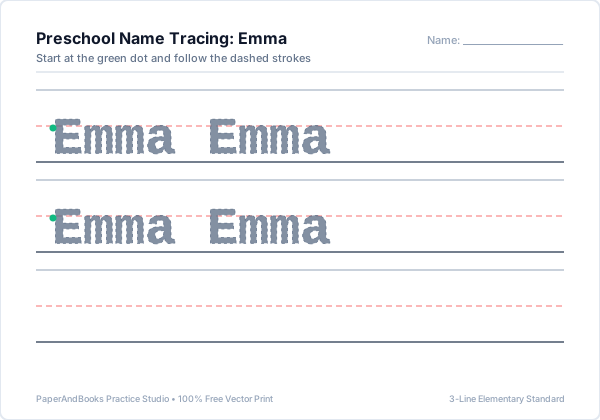
Use our Trace + Copy model: start with tracing the full name twice, then prompt the child to write the name on the blank guideline with only a starting dot as a guide.
Real Worksheet Output Previews
Sample vector outputs generated by Name Tracing Generator. Razor-sharp at 1200+ DPI with standard U.S. elementary 3-line ruling.
How to Print or Save as PDF
Follow these printer settings to ensure standard elementary guidelines print at their exact calibrated physical dimensions (1.0″, 0.75″, 0.50″, or 0.375″):
- 1. Click Print / Save PDFClick the blue button above the preview window to trigger your browser's native vector print engine.
- 2. Destination SelectionChoose your physical classroom/home printer, or select "Save as PDF" to export a high-resolution file.
- 3. Paper Size & Scale 100%Select US Letter (8.5 × 11″) or A4. Set Scale to "100%" or "Actual Size"—avoid "Fit to Printable Area" to preserve exact ruling height.
- 4. Enable Background GraphicsUnder More Settings, check "Background graphics" to ensure dashed midlines and colored guide dots print with maximum contrast.
Frequently Asked Questions
Common questions about ruling specifications, classroom use, and pedagogical mechanics for Name Tracing Generator.
Why does this name generator use 1-inch and 3/4-inch ruling?▼
Young children developing pincer grip and wrist stability require larger visual boundaries. Oversized 1.0″ lines for preschool and 0.75″ lines for kindergarten allow toddlers to form letter strokes without feeling cramped.
Should preschoolers practice writing their name in ALL CAPS or Titlecase?▼
Early childhood literacy specialists recommend Titlecase (capital first letter, lowercase remainder). While uppercase letters use straight strokes, Titlecase teaches proper letter recognition and prepares children for reading books.
Can I include both first and last names on the practice worksheet?▼
Yes. Toggle the 'Include Last Name' option to add the student's surname, allowing older kindergarteners to practice writing their full legal name.
How does the trace-to-copy progression help children write their name independently?▼
The first row provides high-contrast dashed lines with starting dots. Subsequent rows reduce visual scaffolding, prompting the child to recall letter shapes from muscle memory.
How do I print name worksheets for an entire class of 20 to 30 students?▼
Use our Whole-Class Set Generator tool. You can paste your entire classroom roster at once and download a collated multi-page PDF with one personalized sheet per student.
Related Handwriting & Literacy Tools
Explore our complementary free elementary worksheet generators:
Paste up to 40 student names to produce a single collated classroom PDF.
Master individual uppercase and lowercase letters A through Z.
Build pencil grip stability with lines, waves, and zigzags before writing names.
Print blank lined practice sheets with custom student name headers.